SAP Customer Experience
SAP Commerce Cloud | SAP CRM | SAP CS | SAP Customer Data | SAP ecommerce | SAP Hybris | SAP Marketing Analytics | SAP Marketing Automation | SAP Marketing Cloud | SAP POS | SAP Qualtrics | SAP Sales Cloud | SAP Service Cloud | SAP Trade Promotion Management | SAP Warranty Management
SAP Customer Experience is a comprehensive suite of cloud-based customer experience management solutions that helps businesses drive digital transformation. The suite includes solutions for customer relationship management (CRM), e-commerce, marketing, sales, service, and social engagement. SAP Customer Experience offers integration with other SAP and third-party software as well.
SAP Customer Experience is built on the SAP Cloud Platform and uses the SAP HANA database, which delivers real-time data processing capabilities and enables real-time analytics. It is designed to help companies manage customer service requests and tickets so that businesses can provide better quality customer service while also managing customer service levels and performance. With SAP Customer Experience, businesses can offer their customers a consistent and personalized experience across all touchpoints.
Key capabilities of SAP Customer Experience include:
SAP Customer Experience is a comprehensive suite of cloud-based customer experience management solutions that helps businesses drive digital transformation. The suite includes solutions for customer relationship management (CRM), e-commerce, marketing, sales, service, and social engagement. SAP Customer Experience offers integration with other SAP and third-party software as well.
SAP Customer Experience is built on the SAP Cloud Platform and uses the SAP HANA database, which delivers real-time data processing capabilities and enables real-time analytics. It is designed to help companies manage customer service requests and tickets so that businesses can provide better quality customer service while also managing customer service levels and performance. With SAP Customer Experience, businesses can offer their customers a consistent and personalized experience across all touchpoints.
Key capabilities of SAP Customer Experience include:
- Service request management and ticketing
- Customer self-service
- Service level management (SLM)
- Field service management (FSM)
- Returns management
- Social customer service
SAP portfolio of services includes SAP Commerce Cloud Portfolio of Services, SAP Emarsys Customer Engagement, SAP Customer Data Cloud and SAP Customer Data Platform, Experience Management Solutions from SAP, SAP Sales Cloud, and SAP Service Cloud.
Key Considerations for SAP organizations:
- Transform customer experience with a complete view of the customer across all channels and clouds.With new technologies and trends emerging all the time, it can be tough to keep up with the competition. But if you keep your focus on the customer, you’ll be ahead of the game. Review this podcast about how CTOs can leverage SAP Customer Experience to help their organizations prioritize customer satisfaction as the key to any company’s success.
- Enhance organizational flexibility with SAP Customer Experience solution enabled by SAP C/4HANA. By putting the customer at the center of attention, from lead to invoicing and beyond, SAP Customer Experience solution enabled by SAP C/4HANA can help organizations adapt quickly to changing business requirements. The integration with the back end via SAP S/4HANA provides visibility into crucial information including inventory levels, current orders, and customer profiles. This allows for a more personalized customer experience.
- Prioritize investments in improved customer experiences. Read insights from this blog on how organizations should consider prioritizing customer experiences and think about investing in customer self-service technology, such as SAP Customer Experience, that provides a 360-degree view of the customer, allowing businesses to track interactions, understand preferences, and provide personalized service
1263 results
-

Simplify and Improve Document Output: Convert SAPscript to Smart Forms
Smart Forms is a tool first delivered with R/3 Release 4.6 for printing and sending documents via email, Web, and fax. The supporting technology allows you to configure and deploy Smart Forms as a workflow-based or event-driven functionality. Find out more about Smart Forms and see how to implement it or convert existing SAPscripts to...…
-

Tutorial: Build an SAPUI5 Application for SAP CRM or SAP ECC
by Lukas M. Dietzsch, CEO, Blackvard Management Consulting, LLC This integrated example by Lukas Dietzsch of how to build an SAP Fiori application provides a step-by-step approach for how to transfer SAP materials management data onto a mobile device. This real-world business case, which is similar to any user’s Open Data Protocol (OData) service request,…
-

The Config Team Combines Software and Services Offerings to Modernise SAP Supply Chains
The Config Team, an SAP partner specializing in supply chain solutions, combines innovative software with credible consulting to address complex challenges, offering products like PreBilt™, CodingControl™, and IDoc Management Console™ to enhance efficiency and user experience in SAP environments.
-

Agentic ambition outpaces AI foundations – SAP NOW AI Tour ANZ
Foundations, not budgets, will decide which organisations win the AI value race. That was the message from Angela Colantuono, President and Managing Director, SAP Australia and New Zealand, opening the SAP NOW AI Tour Australia and New Zealand event at Sydney’s Hordern Pavilion on Wednesday. “The organisations that are making real progress aren’t the ones…
-

Half of Australian businesses report AI agent errors, yet 62% say they’re satisfied with returns
Sixty-two percent of Australian businesses say they are satisfied with their AI returns. In the same dataset, 49% report AI agents have already taken incorrect actions in pilots or production, and only 22% consider themselves governance-ready. A majority of the leaders surveyed say employees increasingly accept AI outputs without sufficient question. Those findings sit together…
-

Provide Easy-to-Use BW Web Print Controls in a Drop-Down Menu
Because some Web browsers such as Microsoft Internet Explorer (IE) are designed to minimize the security risks, offering enhanced Web print controls is often a challenge for BW teams. Here’s a way to offer your end users a handy drop-down menu to set page orientation and margins for better-looking output. Key Concept By customizing the...…
-
Navigate Within WAD Reports Using Data Provider – Information (XML)
Understand the basic functionality of the Data provider – Information (XML) tool within Web Application Designer 7.0. A business scenario shows how to use it to navigate a report back and forth within a list of values. Key Concept One of the new objects in Web Application Designer 7.0 is the Data provider – Information...…
-
Navigating the SAP ECC to HANA Transition with Appian
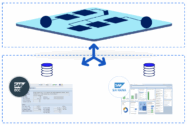
Embracing Clean Core Strategy: Paving the Way for a Streamlined ERP Transition. Seamless Migration and Efficient Customization. The landscape of enterprise resource planning (ERP) systems is undergoing a significant transformation. SAP ECC, a cornerstone for many organizations, is approaching its end-of-life (2027), necessitating a shift to the more advanced SAP HANA. Moving from...…
-

Real-World Impact: How DXC Accelerates Transformation in Utilities
Explore how utilities like AGIG and Jemena leverage DXC Technology and SAP S/4HANA to slash migration timelines, improve data accuracy by 95%, and bridge the gap between backend efficiency and customer empathy.
-
3 Steps to Cleaner Data (and Happier Customers)
Learn how you can improve the quality of your customer data in three simple steps without using third-party services. Key Concept After you identify duplicate customer master records, SAP CRM provides functionality for data cleansing. This process enables a customer data administrator or sales representative to transfer business transactions from one customer to another and,...…




Your request has been successfully sent