SAP Crystal Reporting
SAP Crystal Reports
SAP Crystal Reports was an early reporting software created in the 1980s. It was subsequently acquired by BusinessObjects and eventually joined the SAP portfolio when SAP acquired BusinessObjects. SAP has continued to develop the product and has released the latest version SAP Crystal Reports 2020.
SAP Crystal Reports
SAP Crystal Reports was an early reporting software created in the 1980s. It was subsequently acquired by BusinessObjects and eventually joined the SAP portfolio when SAP acquired BusinessObjects. SAP has continued to develop the product and has released the latest version SAP Crystal Reports 2020.
SAP Crystal Reports helps business users analyze data by creating richly formatted, multi-page reports from virtually any data source, delivered in more than a dozen formats. Such formats can be used to generate customer or partner facing assets such as custom invoices, billing statements, letters, sales and operations reports, and promotion campaigns with drag-and-drop interfaces.
While SAP Crystal Reports is marketed to small and medium-sized businesses, it can be an easy reporting tool for enterprises too.
SAP Crystal Reports Benefits
SAP Crystal Reports makes it easy for business users to create reports easily while also ensuring security and access rights. Some of the advantages it provides are:
- Ability to easily analyze and report on business data by creating intuitive reports and dashboards with drag-and-drop simplicity
- Security settings for reporting environments by defining user rights to access, view, refresh, export, or print reports
- Insights to understand business and share the facts to provide ready-to-consume information, as reports and dashboards, to colleagues, suppliers, partners, and customers.
SAP Crystal Reports files are saved with extension “.rpt”
Reporting and analytics are fields where many vendors are coming up with innovations such as pre-built reports, automation, and intuitive user interfaces. Apart from SAP BusinessObjects, Qlik, Pyramid Analytics, and apexanalyticsalso provide rich reporting and analytics capabilities.
While such tools are a boon to business users, there is increasing recognition that what comes out of data depends on data quality. Hence, many SAP companies are embarking on data management projects ranging from master data governance, intelligent data cleansing, enabling data virtualization to analyze data rather than making static copies, etc. This also becomes critical when the security, access control, and compliance requirements come into play.
SAP Crystal Reports is a useful tool in the reporting portfolio for low value reports. However, the demands for analytics in today’s complex data volumes may be better met with more sophisticated solutions.
1115 results
-

Implementing Security in BusinessObjects Universes with Security Tables
Learn how to implement security in SAP BusinessObjects Universes using database security tables. Learn how to establish and create database security tables, store security information in those tables, import the tables into your Universe, and join the tables with your current Universe model by joining them with the corresponding tables in the Universe. Finally, find…
-
Transforming Business in the Era of Intelligence
With the promise of the Intelligent Enterprise, SAP is charting a roadmap to support companies on their digital journeys to turn data into insight and revenue opportunities. Partners are key in helping to support this journey by building, extending, and integrating next-generation cloud applications that contribute to the intelligent suite, which rests on the digital…
-

Quick Tip: An Introduction to SAP BusinessObjects Roambi Analytics
Learn about the key features of SAP BusinessObjects Roambi to help you assess whether to incorporate it into your enterprise’s BI strategy.
-

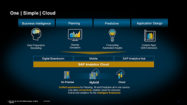
Are You Ready for One Simple Cloud?
Most SAP customers, by now, have heard of SAP Analytics Cloud — SAP’s self-service platform for data visualization, exploration, dashboarding, planning, and predictive analytics. However, many customers wonder what exactly the new platform offers, if it’s appropriate for their environment, and what it integrates with, replaces, and/or complements. This article introduces the platform, provides a…
-

Tighten internal controls with CCM: SAP GRC Forum with Carlos Jaimes & Marc Jackson
Where does automation of internal controls make sense, and how can you integrate controls monitoring into your finance and other SAP ERP processes? Carlos Jaimes and Marc Jackson of Turnkey Consulting took questions in a recent GRC forum on Continuous Controls Monitoring (CCM), SAP Process Control, and options for reporting and automation, moderated by Matt…
-
How to Simplify Access to Analytics for Everyone
Simply migrating to the cloud is no longer enough—companies must be familiar with cloud analytics in order to extract meaningful information from massive volumes of data. For companies beginning their cloud analytics journey with an existing SAP BusinessObjects BI deployment, the author of this article recommends taking a hybrid approach to integrate SAP Analytics Cloud…
-

The COVID-19 Crisis Exposes Areas Where SAP Customers in the Healthcare Field Can Up Their Game
Experts from SAP and Qualtrics share how SAP customers in the life sciences and healthcare space can improve the way they understand and disseminate operational and experience data during this time of crisis due to the COVID-19 virus outbreak.
-

MythBusters: Why Customer Obsession Is Key for Successful SAP Migrations to the Cloud
In this article, Axel Streichardt, Head of Worldwide Business Development for SAP on AWS, share thought leadership on how a customer-focused perspective at AWS led to unparalleled uptime for SAP environments. He shares how AWS is providing agility in tough, unpredictable circumstances and addressing the current challenges for SAP customers. This article: – Dispels the…
-

Using SAC in Combination with SAP BusinessObjects BI
Are you considering using SAP Analytics Cloud to begin your journey into cloud analytics with an existing SAP BusinessObjects BI deployment? If so, consider a hybrid approach and re-use your existing assets, such as Universes and Web Intelligence reports, and integrate your SAP Analytics Cloud system with your SAP BusinessObjects BI system. An integrated hybrid…
-

 Premium
SAP S/4HANA Migration Project Hits Some Bumps
Migrations to SAP S/4HANA are challenging and difficult when the overall organization must adjust to new technologies, new architectures, constant training, and more. For a corporation to transition to a new and better way of doing business with innovative and flexible tools not only requires investments, but the right personnel, not only capable of performing…
Related Vendors

Your request has been successfully sent