SAP Messaging
What is SAP Messaging?
Originally part of SAP Cloud Platform and called SAP Enterprise Messaging, SAP Event Mesh is a fully managed cloud service that allows for applications to communicate through events. Renamed from SAP Enterprise Messaging when SAP decremented the SAP Cloud Platform brand in favor of SAP Business Technology Platform, SAP Event Mesh is a managed cloud service that allows for real-time and asynchronous communication between different systems based on business events. Features of SAP Event Mesh include:
- Publishing business events from SAP and non-SAP sources
- Consuming business events from SAP and non-SAP sources
- Data transmission for both extension and integration scenarios
What is SAP Messaging?
Originally part of SAP Cloud Platform and called SAP Enterprise Messaging, SAP Event Mesh is a fully managed cloud service that allows for applications to communicate through events. Renamed from SAP Enterprise Messaging when SAP decremented the SAP Cloud Platform brand in favor of SAP Business Technology Platform, SAP Event Mesh is a managed cloud service that allows for real-time and asynchronous communication between different systems based on business events. Features of SAP Event Mesh include:
- Publishing business events from SAP and non-SAP sources
- Consuming business events from SAP and non-SAP sources
- Data transmission for both extension and integration scenarios
Being part of the SAP Business Technology Platform (SAP BTP) means that SAP Event Mesh can leverage other parts of SAP BTP, for example integration, to connect with solutions like SAP S/4HANA, SAP Business Technology Platform ABAP Environment, and non-SAP data sources in order to consume events and then have actions occur, through the publication of an event, in a linked SAP or non-SAP system.
Further Resources for SAPinsdiers
Accelerate Automation In SAP Workflow Management. When used in conjunction with a solution like SAP Workflow Management, SAP Event Mesh can be used to create an event driven architecture that can be used to significantly streamline processes across the organization. This article provides an example of setting up such an architecture that both simplifies and streamlines that process.
Uncover Process Chain Execution Errors When SAP NetWeaver BI Fails To Notify You. Looking at older SAP technologies, this article provides information on how take action in a situation where SAP NetWeaver Business Intelligence does not send out an email notification about an exception that is not picked up by the standard SAP Messaging function.
601 results
-

How to Set Up the Fiori Clear Incoming Payments App for Use in a Launchpad
SAP S/4HANA Finance delivers improved business processes with a new user experience. Transactions that have not been changed in 15 years have received a complete face-lift, and how users access the transactions within their processes has also completely changed. Learn the technical aspects of the Fiori interface implementation based on a classic accounts receivable (FI-AR)...…
-

 Premium
Special Report: Implementing SAP HANA – An End-to-End Perspective
In this exclusive special report, get an in-depth, step-by-step look at the aspects of implementing BI solutions on SAP HANA. Gain insight into how ETL integrates with SAP HANA and how SAP BusinessObjects BI 4.0 analyzes and visualizes the data stored in SAP HANA. Key Concept SAP HANA modeling is a process whereby a developer...…
-

Data Owner Responsibilities and Characteristics
Authored by Vinod Reddy, Data Migration and SAP MM Techno Functional Consultant, Utopia, Inc. Every enterprise will definitely have the objective to improve efficiency and effectiveness in managing data. Efficiency will result in minimizing the cost of administering data and effectiveness will result in maximizing the data quality. From my perspective, a data owner should…
-
Live from SAPinsider Studio: Blair Wheadon on SAP Design Studio 1.6
Blair Wheadon, General Manager, Data Discovery, SAP, joins SAPinsider Studio during the 2015 SAPinsider Reporting & Analytics event in Las Vegas to discuss SAP BusinessObjects Design Studio 1.6 and SAP Cloud for Analytics. This is an edited transcript of the discussion: Ken Murphy, SAPinsider: Hi, this is Ken Murphy with SAPinsider. I am here at…
-
Live from SAPinsider Studio: Invoice-to-Pay with SAP S/4HANA and Ariba
Friederike Hertenstein, Director, Accounts Payable, SAP Solution Management Finance, visited with SAPinsider Studio at the 2016 SAPinsider Financials event in Las Vegas to discuss Invoice to Pay and Sourcing to Pay processes in SAP S/4HANA Finance and the importance of integrating invoicing with the Ariba Network. This is an edited transcript of the discussion: Ken…
-

Live from SAPinsider: Ivo Bauermann on the Digital Imperative
SAPinsider FIN-GRC 2016 keynote speaker Ivo Bauermann, Global Vice President and General Manager, Enterprise Performance Management, SAP, joins SAPinsider Studio at the event to discuss how SAP is helping companies make a digital transformation and run a “live” business. Topics covered include SAP S4/HANA, Central Finance, and Finance’s evolution into a strategic arm of the…
-
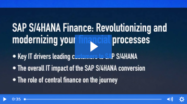
Live from SAPinsider Studio: Paul Ovigele of ERPfixers on S/4HANA and Universal Journal
Paul Ovigele, founder of ERPfixers, joins SAPinsider Studio at the SAPinsider FIN-GRC event to discuss the impact the Universal Journal in SAP S/4HANA Finance has for reconciling accounts-based vs. costing-based CO-PA tables with the general ledger. This is an edited transcript of the discussion: Ken Murphy, SAPinsider: Hi, this is Ken Murphy with SAPinsider. I…
-
Live from SAPinsider Studio: Beam Suntory’s SAP Role Redesign
Ivanka Gajecky, Manager of Application Security, Beam Suntory, joined SAPinsider Studio at the SAPinsider GRC 2016 event to discuss Beam Suntory’s SAP security role redesign project that was undertaken to align with the business becoming more centralized. This is an edited transcript of the discussion: Ken Murphy, SAPinsider: Hi, this is Ken Murphy with SAPinsider.…
-

Live from SAPinsider Studio: O.C. Tanner Rejuvenates its SAP Environment to Keep Up with Customer Needs
Ethan Kennelly, Director of Enterprise Architecture and Program Management at O.C. Tanner, joins SAPinsider Studio at the SAPinsider SCM-CRM event to discuss how O.C. Tanner’s implementations of SAP Hybris, SAP Configure Price Quote, and SAP S/4HANA helped it to keep up with rapidly changing customer needs. This is an edited transcript of the discussion: Natalie…
-
Live from SAPinsider Studio: San Diego Gas & Electric on Mitigating SoD Conflicts
Paul Malin, Financial Systems Client Support Manager at San Diego Gas & Electric, joins SAPinsider Studio at the SAP GRC 2016 event to discuss San Diego Gas & Electric’s journey to upgrade its GRC system. Ken Murphy, SAPinsider: Hi, this is Ken Murphy with SAPinsider. I’m at the SAPinsider GRC event 2016, in Las Vegas,…
Related Vendors


Your request has been successfully sent