SAP Messaging
What is SAP Messaging?
Originally part of SAP Cloud Platform and called SAP Enterprise Messaging, SAP Event Mesh is a fully managed cloud service that allows for applications to communicate through events. Renamed from SAP Enterprise Messaging when SAP decremented the SAP Cloud Platform brand in favor of SAP Business Technology Platform, SAP Event Mesh is a managed cloud service that allows for real-time and asynchronous communication between different systems based on business events. Features of SAP Event Mesh include:
- Publishing business events from SAP and non-SAP sources
- Consuming business events from SAP and non-SAP sources
- Data transmission for both extension and integration scenarios
What is SAP Messaging?
Originally part of SAP Cloud Platform and called SAP Enterprise Messaging, SAP Event Mesh is a fully managed cloud service that allows for applications to communicate through events. Renamed from SAP Enterprise Messaging when SAP decremented the SAP Cloud Platform brand in favor of SAP Business Technology Platform, SAP Event Mesh is a managed cloud service that allows for real-time and asynchronous communication between different systems based on business events. Features of SAP Event Mesh include:
- Publishing business events from SAP and non-SAP sources
- Consuming business events from SAP and non-SAP sources
- Data transmission for both extension and integration scenarios
Being part of the SAP Business Technology Platform (SAP BTP) means that SAP Event Mesh can leverage other parts of SAP BTP, for example integration, to connect with solutions like SAP S/4HANA, SAP Business Technology Platform ABAP Environment, and non-SAP data sources in order to consume events and then have actions occur, through the publication of an event, in a linked SAP or non-SAP system.
Further Resources for SAPinsdiers
Accelerate Automation In SAP Workflow Management. When used in conjunction with a solution like SAP Workflow Management, SAP Event Mesh can be used to create an event driven architecture that can be used to significantly streamline processes across the organization. This article provides an example of setting up such an architecture that both simplifies and streamlines that process.
Uncover Process Chain Execution Errors When SAP NetWeaver BI Fails To Notify You. Looking at older SAP technologies, this article provides information on how take action in a situation where SAP NetWeaver Business Intelligence does not send out an email notification about an exception that is not picked up by the standard SAP Messaging function.
601 results
-

 Premium
How SAP Business AI and SAP Asset Performance Management are Closing the Loop between Maintenance Strategy and Execution
SAP Asset Performance Management (APM) helps asset owners, managers, plant managers, reliability engineers, and maintenance technicians to define, implement, execute and monitor the optimal asset maintenance. Mastering SAP Premium Access Membership Required You must be a Mastering SAP Premium Access member to access this content.Join NowAlready a member? Log in here
-

LRS Meets Pressing Printing Needs of Modern Digital Supply Chains
Reliable printing solutions, critical for efficient supply chain and asset management operations, are often overlooked despite their importance in ensuring timely production of essential documents like labels and picking slips, with LRS offering certified output management solutions to address these issues amidst the transition to cloud technologies.
-

AI Agents: Transforming SAP Integration with Innovation and Compliance
Boomi is enhancing its SAP integration solutions with AI Agents focused on automating tasks and ensuring compliance with data privacy regulations, while developing an ‘AI Agent Registry’ for responsible governance, amidst growing concerns over security and compliance in AI implementation.
-
SailPoint deployment with SAP GRC/ Access Control
SAP Access Control (also generally referred as SAP GRC or SAP GRC Access Control) is a solution from SAP that enables organizations to control access across various SAP systems, minimizing the time and cost of compliance. It is an add-on to SAP NetWeaver platform, and works with SAP applications such as SAP ECC 6.0, and…
-
- Premium
Unlocking Business Potential with SAP Business Suite and SAP Business Data Cloud
Discover how the SAP Business Suite integrates core business processes, providing a comprehensive suite of applications to streamline and automate complex tasks. Mastering SAP Premium Access Membership Required You must be a Mastering SAP Premium Access member to access this content.Join NowAlready a member? Log in here
-
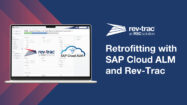
Automate SAP Retrofitting with a Rev-Trac Platinum & SAP Cloud ALM Integration
Rev-Trac enhances SAP retrofitting and change management through automated processes and real-time integration with SAP Cloud ALM, providing full traceability, compliance, and efficiency across ECC and S/4HANA landscapes.
-

Pitney Bowes Embraces Two-Tier ERP
Organisations implementing a two-tier ERP strategy, exemplified by Pitney Bowes’ shift from a monolithic ERP vision to a cloud-based architecture, can better balance global efficiency with local responsiveness.
-

Boomi for SAP: Going the Distance With Real-Time Data Precision
Just as a world-class athlete depends on a finely tuned circulatory system for peak performance, businesses utilizing Boomi for SAP ensure seamless, real-time data integration that enhances agility and decision-making, ultimately driving growth and customer satisfaction.
-

Why Your AI Strategy Must Go Beyond an Upgrade for A Faster RISE
96% of organizations seek to adopt AI with executive mandates, yet they face challenges due to legacy systems, making strategic initiatives like RISE with SAP essential for transforming processes and enabling AI integration, while accelerators like DXC Fast RISE offer tailored solutions to streamline migration and modernize operations.
-
Why CERPASS® is Built on BTP: Cybersecurity at the Core
SAP’s Business Technology Platform (BTP) combines data management, analytics, application development, and AI with a security-first architecture, offering robust cybersecurity features that enable organizations to innovate securely and maintain compliance in a rapidly evolving digital landscape.
Related Vendors


Your request has been successfully sent