SAP T Code
What Are SAP T-Codes?
An SAP transaction code (T-Code) is a four-character shortcut that is used to access a transaction within an SAP system or application. Transaction codes provide direct access to the desired transaction from anywhere within the SAP system. Instead of using the menu or another means of accessing the transaction, you can start a function in a single step using an SAP T-Code. T-Codes can provide access to everything from user maintenance or authorization, workflow management, accessing SAP ABAP tables and dictionaries, running SQL queries, or transaction control. Every function in an SAP ERP system has a T-code associated with it. There are thousands of transaction codes available in different SAP systems and applications.
What Are SAP T-Codes?
An SAP transaction code (T-Code) is a four-character shortcut that is used to access a transaction within an SAP system or application. Transaction codes provide direct access to the desired transaction from anywhere within the SAP system. Instead of using the menu or another means of accessing the transaction, you can start a function in a single step using an SAP T-Code. T-Codes can provide access to everything from user maintenance or authorization, workflow management, accessing SAP ABAP tables and dictionaries, running SQL queries, or transaction control. Every function in an SAP ERP system has a T-code associated with it. There are thousands of transaction codes available in different SAP systems and applications.
Use of T-Code is performed by logging onto the SAP application using the SAP GUI or SAP Front End, placing the cursor in the SAP command field, typing the transaction code, then pressing enter. Depending on the role that a user plays within an organization, they will have different T-codes that are important to them. Administrators may focus on transactions related to that topic, while developers may use those connected to ABAP or SQL queries. Business users may use T-codes that relate to processing their daily tasks. Users can add T-codes that they use most frequently to a favorites list that allows them to access them more readily. SAP systems also provide the capability for users to create custom SAP T-codes by using the transaction SE91.
Key Considerations for SAPinsiders
- If you’re moving to SAP S/4HANA and rely on transaction codes, then you need to determine what has changed. SAP has changed a number of things with the SAP S/4HANA release, and one of them is the T-codes that are available. This event session by Arghadip Kar walks through how to find which transaction codes have been deleted or placed in SAP S/4HANA that were available in SAP ECC. It also helps organizations that are planning for the move to SAP S/4HANA to plan around customizations in their existing system that may use decommissioned transaction codes.
- You can map standard transaction codes to common phrases to make them easier to use and remember. A functionality that SAP provides is that of creating custom T-codes. But many users struggle with remembering the names of transaction codes despite the regularity of working with them. This article by Muhammad Ramzan walks through mapping standard transaction codes to common phrases to make them easier to remember, and easier to access from custom code. Following this approach ensures that authorization checks are not bypassed, and the authorizations to the actual transactions remain intact.
943 results
-
Automate SAP Retrofitting with a Rev-Trac Platinum & SAP Cloud ALM Integration
Rev-Trac enhances SAP retrofitting and change management through automated processes and real-time integration with SAP Cloud ALM, providing full traceability, compliance, and efficiency across ECC and S/4HANA landscapes.
-

Pitney Bowes Embraces Two-Tier ERP
Organisations implementing a two-tier ERP strategy, exemplified by Pitney Bowes’ shift from a monolithic ERP vision to a cloud-based architecture, can better balance global efficiency with local responsiveness.
-

Boomi for SAP: Going the Distance With Real-Time Data Precision
Just as a world-class athlete depends on a finely tuned circulatory system for peak performance, businesses utilizing Boomi for SAP ensure seamless, real-time data integration that enhances agility and decision-making, ultimately driving growth and customer satisfaction.
-

Why Your AI Strategy Must Go Beyond an Upgrade for A Faster RISE
96% of organizations seek to adopt AI with executive mandates, yet they face challenges due to legacy systems, making strategic initiatives like RISE with SAP essential for transforming processes and enabling AI integration, while accelerators like DXC Fast RISE offer tailored solutions to streamline migration and modernize operations.
-

Why CERPASS® is Built on BTP: Cybersecurity at the Core
SAP’s Business Technology Platform (BTP) combines data management, analytics, application development, and AI with a security-first architecture, offering robust cybersecurity features that enable organizations to innovate securely and maintain compliance in a rapidly evolving digital landscape.
-
Democratising SAP Process Mining: Process HQ Brings Supply Chain X-Rays to Business Users
Appian’s latest updates to its Process HQ module embed real-time process intelligence directly into the workflows of SAP users, allowing logistics managers and service agents to address operational issues instantly, thus transforming data consumption into active process optimisation.
-

Selective Data Transition: A Practical Option for SAP S/4HANA Programs
Selective Data Transition is reshaping how organizations plan SAP S/4HANA moves. Programs gain the ability to modernize selectively, retain critical history, and reduce risk through evidence-based scope decisions.
-
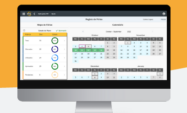
Why Would You Combine SAP BTP and Neptune DXP? | One-pager
Discover how you can easily digitize your SAP processes by combining SAP BTP and Neptune DXP together! See all the ways we can help make your app development easier.
-
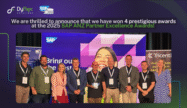
DyFlex emerges as leader in multiple categories at the 2025 SAP ANZ Excellence Awards
We are thrilled to announce that DyFlex has once again demonstrated its excellence in the SAP ecosystem, securing multiple prestigious awards at the 2025 SAP ANZ Partner Excellence Awards. This recognition underscores our commitment to delivering outstanding value and innovative solutions to our clients. Award Highlights DyFlex’s exceptional performance has been acknowledged across several…
-
Daikin Builds ASRS-Compliant Reporting with SAP Datasphere and SAC
Daikin, Australia’s leading air conditioning manufacturers met the threshold requirements to produce a sustainability report by the end of FY24/25. As the parent company, Daikin manages a complex business structure comprising of subsidiaries and operating entities across Australia and New Zealand. To meet aggressive deadlines and ensure full compliance with reporting standards, Daikin leveraged DyFlex’s…
Your request has been successfully sent