SAP MDM
SAP MDM – Governance as Key to MDM success
In an era where data analytics drives the revenue bus for all companies, a reliable single source of truth of company data is mandatory. Companies recognize the criticality of having reliable and comprehensive master data.
SAP Master Data Governance is a solution built on SAP Business Technology Platform. It pulls together master data organization-wide and manage it centrally to provide a united, trusted view into the business. It comes as a cloud and on-premise version, and supports all master data domains and implementation styles with pre-built data models, business rules, workflows, and user interfaces. As one would expect from any SAP product today, it also connects to a wide variety of SAP and non-SAP software through interfaces. Read this article on the improvements SAP has done in its Master data capabilities – An Introduction to SAP Master Data Governance.
SAP MDM – Governance as Key to MDM success
In an era where data analytics drives the revenue bus for all companies, a reliable single source of truth of company data is mandatory. Companies recognize the criticality of having reliable and comprehensive master data.
SAP Master Data Governance is a solution built on SAP Business Technology Platform. It pulls together master data organization-wide and manage it centrally to provide a united, trusted view into the business. It comes as a cloud and on-premise version, and supports all master data domains and implementation styles with pre-built data models, business rules, workflows, and user interfaces. As one would expect from any SAP product today, it also connects to a wide variety of SAP and non-SAP software through interfaces. Read this article on the improvements SAP has done in its Master data capabilities – An Introduction to SAP Master Data Governance.
Key elements of the solution include:
- Centralized creation and maintenance of master data – Companies can ensure governance at the point of authorship and avoid duplication, invalid edits, and non-compliance
- Automated workflows – Standardized and customizable, these automated workflows ensure the right people audit, approve, and manage the master data at the right time
- Compliance and audit support – Maintaining version control and change history improves transparency and helps ensure compliance
- Security and access – Role-based access and device specific setup helps to enforce security and yet, provide the right people with access.
SAP Master Data Governance also comes pre-built with the most common domains for SAP – Customer, Supplier, Material, Financials, Retail, and Technical assets. It also a rich set of domains that customers can implement such as country code, tax code, order type, bank code, currency code, department, channel, activity type, document type, etc.
With SAP Master Data Governance, companies can also implement and manage a federated master data (instead of a centralized one) where different teams own different domains. The central system manages the core while syndicating specific domains to other systems. This model provides flexibility to regional office or product units, while also ensuring central compliance and a single source of truth.
SAP Master Data Governance’s cloud edition goes further by providing a hub-and-spoke federation that can slowly help an organization migrate to a federated approach.
Overall, SAP’s MDM solution meets the goals of data strategy, a critical strength as companies’ data growth explodes.
581 results
-
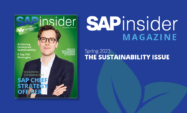
SAPinsider Magazine: Sustainability, Spring 2023
The Spring issue of SAPinsider magazine provides readers with relevant insights for advancing sustainability at all levels of an organization, as well as many other trends within the SAP marketplace. In this issue, SAPinsider sat down with SAP’s Chief Strategy Officer, Sebastian Steinhaeuser, who provides his views on how sustainability is embedded into SAP’s business…
-

Whitepaper: SAP S/4HANA® Selective Data Transition
The SAP S/4HANA Selective Data Transition is an advanced approach designed to provide businesses with a flexible and secure route for transitioning from legacy SAP ERP systems to SAP S/4HANA. Unlike traditional methods such as New Implementation or System Conversion, this approach allows organisations to selectively transfer essential historical data whilst redesigning processes to align…
-
Big solutions for small government organisations
Since 1988, Australian government agencies have leveraged SAP solutions to enhance operational efficiency and cost savings, exemplified by successful implementations like those at ANSTO and Fire & Rescue NSW, while the recent launch of an Australian sovereign cloud capability further supports local growth and innovation.
-

Application Management Services success, from Australia to Japan
FPT Software, a Vietnam-based IT services provider, offers Global 24×7 Application Management Services that enhance SAP system maintenance and support globally, backed by positive testimonials from clients like Rheem Australia and Ajinomoto for its efficient service delivery, even amid COVID-19 challenges.
-

Migration Strategies for SAP ECP
SAP’s ECP is a cloud-based solution designed to modernise payroll management for companies transitioning from on-premise systems.
-

How Syniti Empowered Phillips 66 Towards ERP Integration
Migrating to SAP S/4HANA can benefit businesses for many reasons, some of which include improving operational efficiency, enhancing the user experience, boosting business agility and positioning the company for innovation and future growth. However, migrating to SAP S/4HANA doesn’t come without its challenges. They include cost, technical integration, customisation compatibility and testing, and quality assurance.…
-

Lessons Learned from Using Solution Manager for an Implementation Project
SAP Solution Manager, the successor to ASAP/ValueSAP, boasts features such as project preparation, an implementation roadmap, the ability to manage multiple projects, and compatibility with legacy systems and R/3. The author, who worked on one of the first U.S. implementations of Solution Manager, shares his advice on how to optimize this tool. SAP Solution Manager...…
-

Save Time and Prevent Errors with a Customer Fact Sheet
SAPeditor/CRMBy using a customer fact sheet (CFS), you can group important information about a business partner in one area for quick reference. Find out how to set up a CFS and see how you can change the available information based on user roles. Key Concept The customer fact sheet provides users with key business partner...…
-
Increase Your Revenue Using Cross-Selling in SAP E-Commerce
You may want to provide your online customers with cross-selling recommendations to increase your revenue. These cross-selling recommendations can be global — shown to all customers on the Web — or you can personalize them based on profile data or other information about the customer, such as prior purchasing history. Key Concept You can use...…
-

cProjects and PS Projects — New Options for Project Accounting in mySAP ERP 2005
Learn how you can use new options in cProjects 4.0 to take your project management to the type and level of detail you need. Key Concept While Collaboration Projects (cProjects) 3.0 was the first version to provide accounting integration, cProjects 4.0 offers more ways to track and manage your project costs. You can use the...…
Your request has been successfully sent