Walk through the necessary steps to enhance a customer line-item display report with the fields pertaining to dispute management. An SAP standard transaction code FBL5N layout does not have dispute management fields as dispute management is optional to implement.
Key Concept
Transaction code FBL5N displays the line items posted to the customer accounts. Based on the selection fields specified for the FBL5N report, a report displays open items, cleared items, or both open and cleared items.
With the addition of dispute management fields to an FBL5N report, a user receives all information such as invoices and related payment documents as well as dispute cases from a single report. I explain a simple business scenario for dispute management and then tasks to be done to enhance FBL5N with dispute management fields. FBLN reports are available in FI Accounts Receivables by default.
First, I describe an example of a customer invoice created for $1,000 for a customer making a payment of $900 and raising a dispute for an unpaid amount of $100. I do not discuss the process of creating a dispute case, but this example helps you to understand the FBL5N report later with respect to availability of information regarding the dispute case created for the referred example.
To view this customer invoice that has been created in the SAP system, execute transaction code FB03 or follow menu path Accounting > Financial Accounting > Accounts Receivable > Document > Display. Figure 1 shows the customer invoice (Document Number 1800000013) created for $1,000.
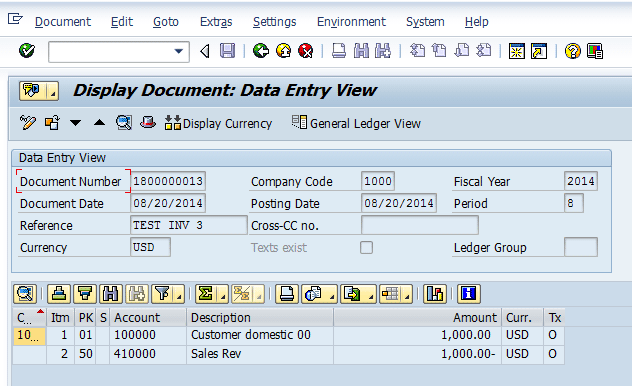
Figure 1
Customer invoice (invoice amount $1,000)
Figure 2 displays the payment received (Document Number 1400000011) from the customer through the lockbox for the amount of $900. The customer has raised a dispute case for $100, and a residual item was created for line item 2 of the document 1400000011. I assume that you are aware of the process of creating processing payments by lockbox and creating a residual item for the unpaid amount in the case of a short payment. Therefore, I do not explain the process of creating a residual item.
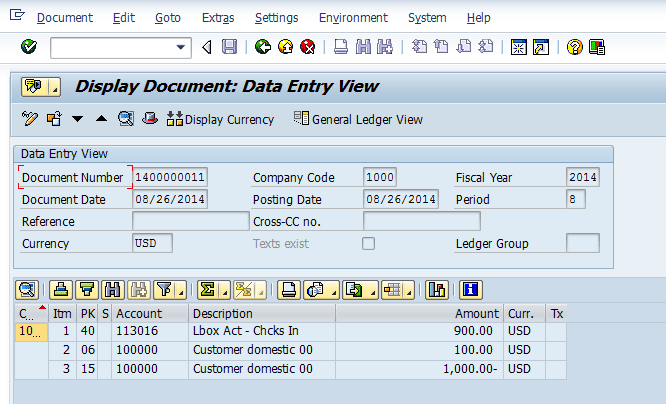
Figure 2
Customer payment document (payment amount $900, disputed amount $100)
After you double-click line-item 2 in Figure 2, you see the details related to line-item 2 (residual item created for $100) appear in Figure 3.
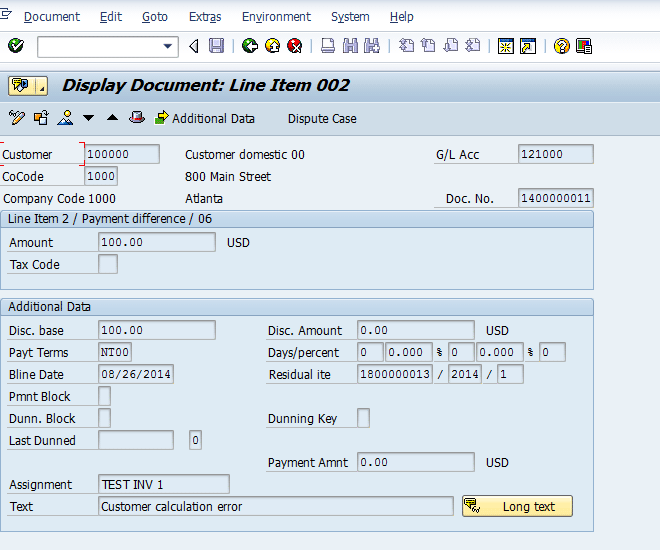
Figure 3
Line-item 2 for a residual item created for an unpaid and disputed amount
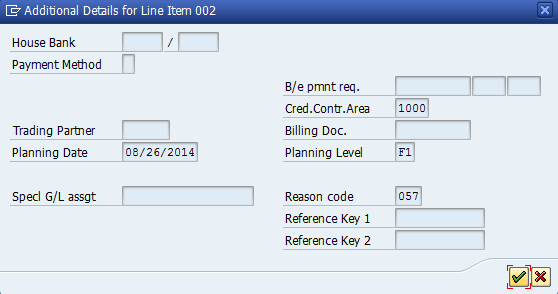
Figure 4
Additional data for line-item 2 of the payment document
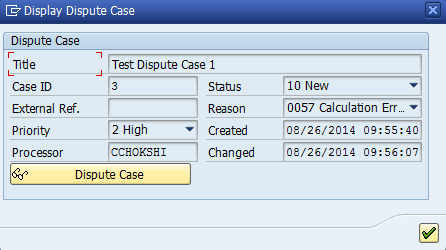
Figure 5
Dispute case number 3 for the unpaid amount of $100
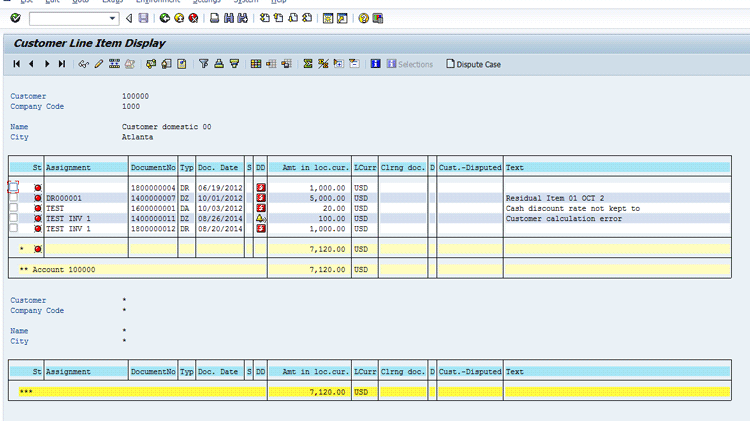
Figure 6
FBL5N report containing open items for the customer 100000
Figure 7 displays the fields available for display in the FBL5N report. Click the find icon . In the the Scan Field List screen that pops up, enter CASE to search for the field Case ID. After you click the green checkmark, you receive the following message at the bottom of the screen: String ‘CASE’ not found in the displayed version. I receive a similar message after I also search on PROCESSOR and DISPUTE strings. The underlying reason is that FBL5N as a standard delivery does not have a dispute management-related field to display.
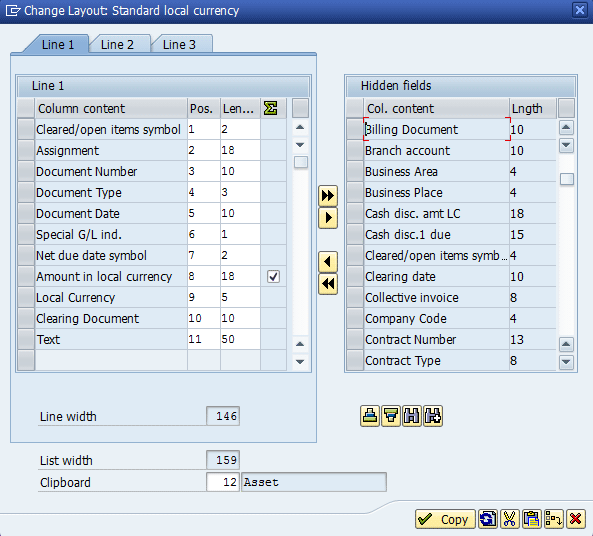
Figure 7
Fields available for display in FBL5N
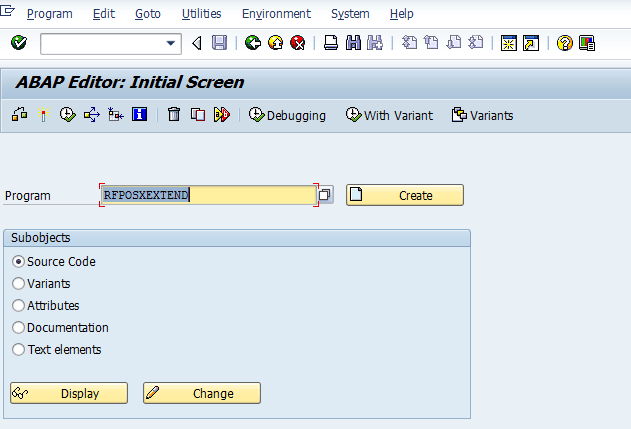
Figure 8
Execute program RFPOSXEXTEND
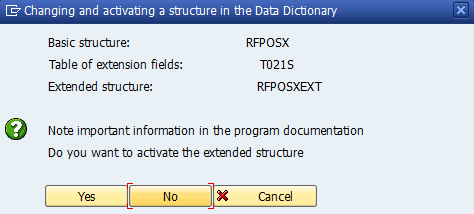
Figure 9
Execute program RFPOSXEXTEND and subsequent message
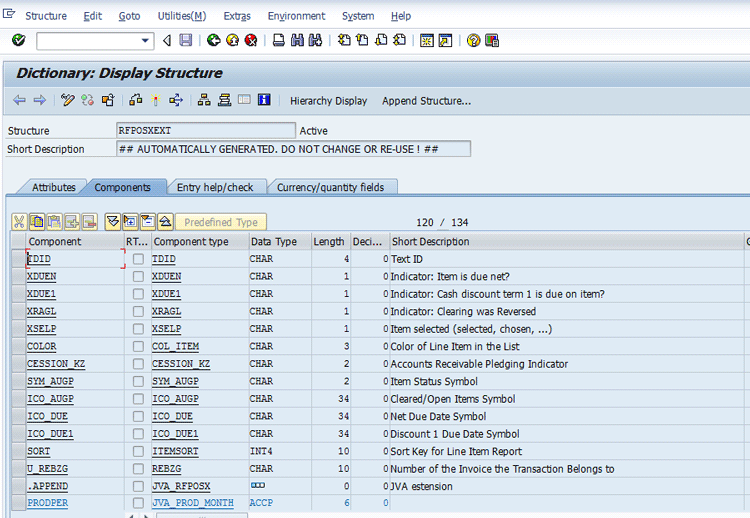
Figure 10
Structure RFPOSEXT prior to execution of program RFPOSEXTEND
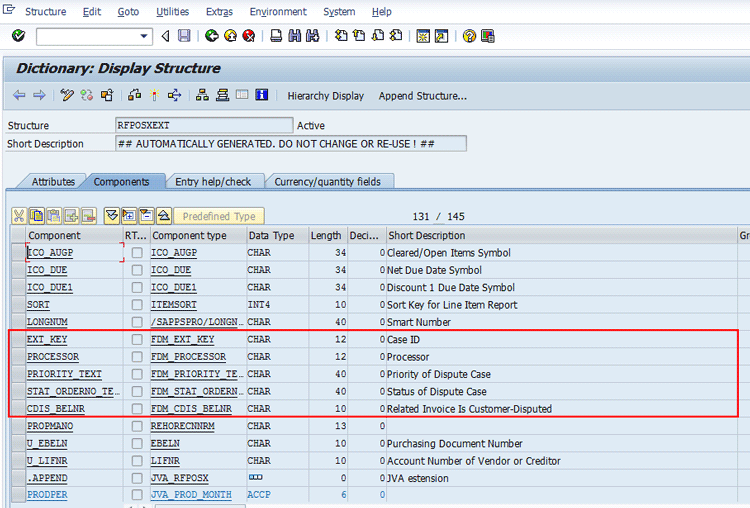
Figure 11
Structure RFPOSEXT after execution of program RFPOSEXTEND
Now, as structure RFPOSEXT is enhanced with dispute management fields, execute the customer line-item report FBL5N and validate if you receive dispute management-related information in the report. Figure 12 displays the FBL5N report for customer 100000 and company code 1000. This screen also displays dispute management fields (e.g., Case ID and Processor) that are available for selection in the layout.
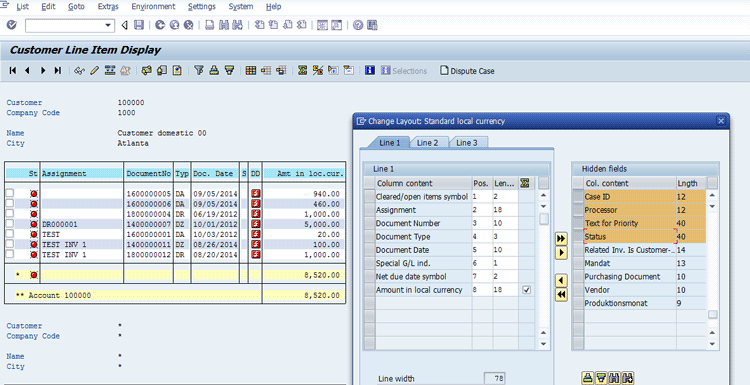
Figure 12
An FBL5N report with dispute management fields available for selection
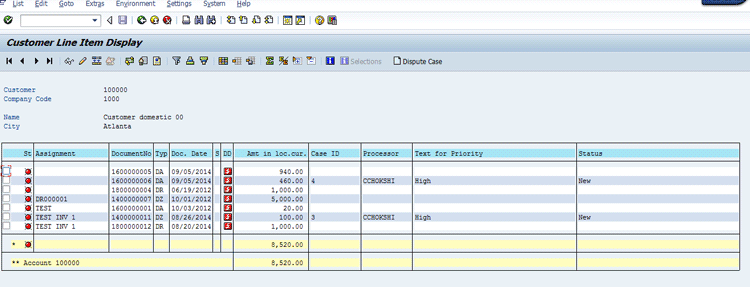
Figure 13
FBL5N report with dispute management fields
Chirag Chokshi
Chirag Chokshi is a solution architect for SAP Financials. He has worked on SAP Financials since 2001 and specializes in implementing the Financial Accounting (FI) and Controlling (CO) modules along with their integrated areas for companies in industries such as consumer products, the chemical process industry, pharmaceuticals, the public sector, industrial machinery, and component manufacturing. He has worked on various complex projects, including global rollouts, greenfield implementations, and SAP system upgrades. In addition, he has developed various preconfigured solutions with a focus on SAP Financials.
You may contact the author at chiragmchokshi@yahoo.com.
If you have comments about this article or publication, or would like to submit an article idea, please contact the editor.